— Model Context Protocol for Odoo

Give AI assistants structured access to your Odoo data.

Alpenglow MCP Connector lets Claude, Cursor, VS Code Copilot, and any MCP-compatible client search, read, create, update, and report on your Odoo 19 instance — governed by the same access controls your users already have.

View on App Store View Documentation
Demo

See it in action.

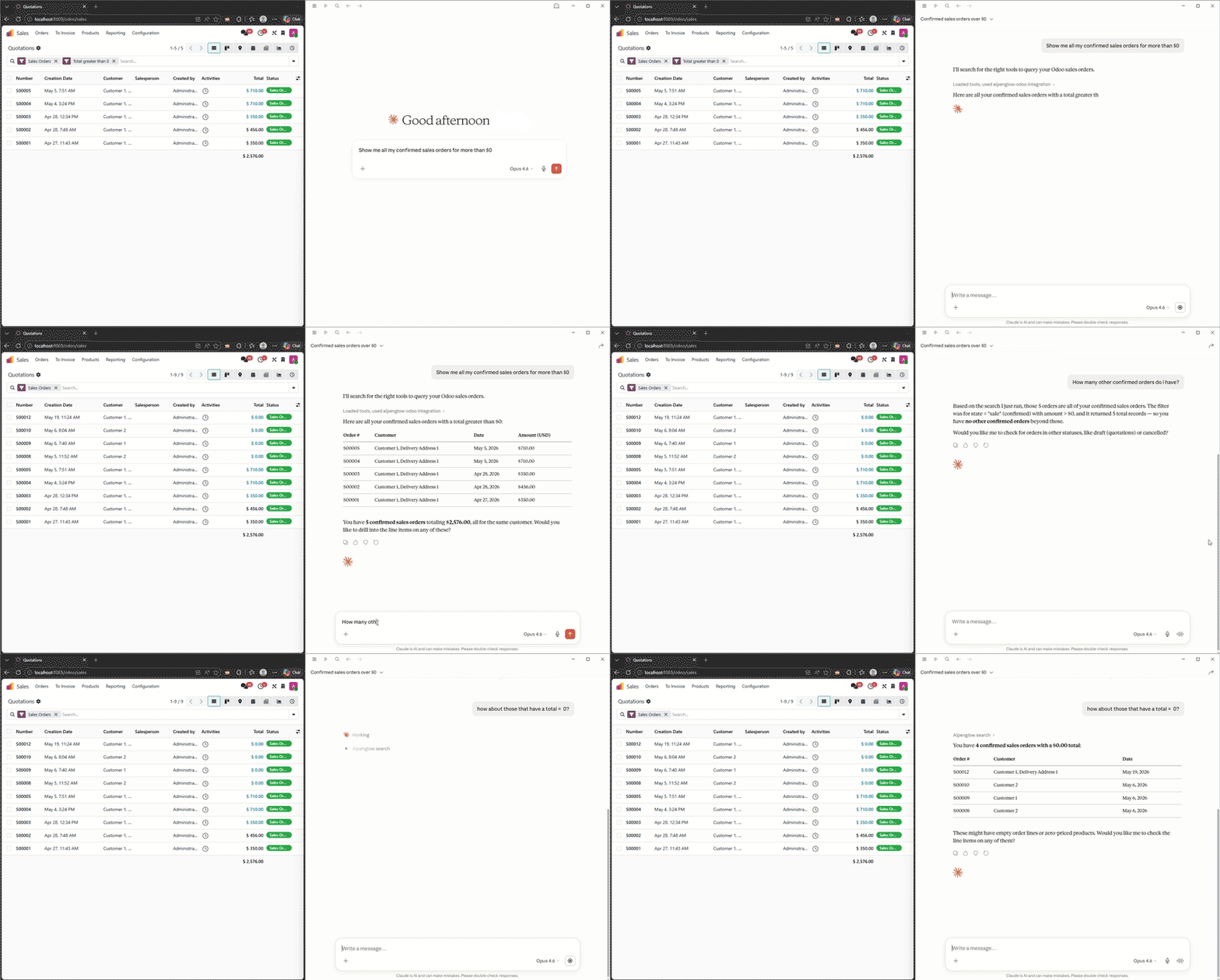
Alpenglow MCP Connector demo — AI assistant querying Odoo data
01 — Compatible Clients

Works with the AI tools your team already uses.

Any client that speaks the Model Context Protocol can connect. Set up takes under 10 minutes — a setup wizard generates a ready-to-paste configuration.

Claude Desktop & Claude Code

Full MCP support via desktop config or the claude mcp add command. Anthropic’s native AI assistant.

Cursor

Paste the JSON config into Settings > MCP Servers. Your AI coding assistant can query Odoo data inline.

VS Code & Any MCP Client

Add .vscode/mcp.json to any workspace. Any tool that speaks MCP can connect out of the box.

02 — Capabilities

Nine tools. Full CRUD and reporting.

T/01

List Models

Discover all enabled Odoo models and their permission levels in a single call.

T/02

Describe Schema

Get full field definitions — types, relationships, required flags, and selection options — for any model.

T/03

Search Records

Query with Odoo domain filters, field selection, pagination, and custom sort ordering.

T/04

Read Records

Fetch specific records by ID with field-level access control applied automatically.

T/05

Create Records

Create one or more records with full validation — gated by per-model permission toggles.

T/06

Update Records

Modify records by ID. Field denylists and allowlists prevent writes to sensitive fields.

T/07

Delete Records

Remove records with explicit per-model opt-in. Disabled by default for safety.

T/08

Aggregate & Report

Run group_by, top_n, count, sum, avg, pivot, and trend queries — analytics without raw SQL.

T/09

Execute ORM Methods

Call whitelisted model methods directly for workflow triggers and business logic.

03 — Security

Enterprise-grade access control, not an open pipe.

LAYER 01

Authentication

API key credentials with optional expiration, usage tracking, and one-click revocation. Brute-force protection per IP.

LAYER 02

Authorization

Per-model CRUD toggles, field allowlists/denylists, record-level domain filters, and credential-scoped read-only mode.

LAYER 03

Rate Limiting

Database-backed sliding window. Separate buckets for general requests and aggregation queries. Works across multiple workers.

LAYER 04

Audit Logging

Every operation logged with user, model, duration, IP, and event type. Configurable retention with automatic cleanup.

04 — Interfaces

Three APIs. One access layer.

I/01

MCP (JSON-RPC 2.0)

The primary interface for AI assistants. Native Model Context Protocol support over stdio via the bridge.

  • Claude, Cursor, VS Code
  • Any MCP-compatible client
  • Stdio bridge included
I/02

REST API

Standard HTTP verbs for clients that prefer GET/POST/PUT/DELETE over JSON-RPC. Same permissions, same limits.

  • GET, POST, PUT, DELETE
  • JSON request/response
  • Aggregation endpoint
I/03

XML-RPC Proxy

Legacy compatibility layer wrapping Odoo’s standard XML-RPC with MCP access controls and XXE protection.

  • Existing integrations
  • execute_kw support
  • defusedxml protection
05 — Details

Specs.

Odoo Version
19.0
Deployment
Online · .sh · On-Premise
Dependencies
Base · defusedxml

Connect your AI assistant to the data it needs.

View on Odoo App Store Odoo 19 · Community & Enterprise · Setup in under 10 minutes